
Managing Casino Account Settings for Canadian Players
Why VIP Casino Rewards Need a Terms-First Approach
November 17, 2026Prestige Outfits Sizing Guide Everyday Styling Ideas
November 17, 2026
Account settings matter as much as the game lobby when you want a clear, manageable online gambling experience. The Canadian account area described for spinsy casino bonus brings together promotions, transactions, rewards, identity checks and access controls rather than treating them as separate services. That arrangement can be convenient, but it also means a player should know where important information is stored and which changes may require support. The practical approach is to review the profile, bonus status, security details and account restrictions before relying on any offer or payment feature.
Which account areas deserve your first review?
Begin with the profile section. The registration information can include your email address, phone number, date of birth, full name, username, country and address. Required fields may vary, so the details shown after registration should be checked for accuracy. A mismatch between the account profile and identity documents can create avoidable delays later, particularly when a withdrawal or security-sensitive change triggers verification.
The account area also connects to the cashier, transaction history, bonus section, challenges, rewards shop and VIP status. These menus serve different purposes. Transaction information helps you review deposits and withdrawals, while the bonus area shows active promotions and their current progress. Challenges and Coins relate to reward activity, and VIP status indicates the account level and associated programme information. Treat each display as a record to review, not as a promise that every promotion is automatically available.
For a sensible first check, confirm the following items without making unnecessary changes:
- personal and contact details;
- currency and Canadian account information;
- active bonuses, expiry dates and wagering progress;
- pending transactions or withdrawal requests;
- VIP level, Challenges progress and Shop balance;
- available support and account-recovery options.
This short review creates a useful baseline. Save only information that you can protect properly, and contact support before changing details that could affect verification or payment ownership.
How should you organise promotions and bonus choices?
The Canadian registration flow allows a new customer to choose a casino welcome package, a sports welcome bonus, a promo-code option or no welcome bonus. That choice is important because selecting an offer may attach conditions to later activity. A separate promo-code route exists for campaigns that specifically require a code, but the standard welcome package does not necessarily require one. Do not enter a code simply because a field is visible.
The currently displayed casino package is described as 300% up to C$4,500 plus 300 free spins. However, the available material does not provide a dependable current per-deposit breakdown. Older descriptions refer to 35x wagering on deposit and bonus funds, 40x wagering on free-spin winnings and a 10-day completion period. Those older conditions should not be treated as the terms of the current package. Check My Bonuses and the stated terms attached to the offer before activation.
Other promotions can carry different activation and release requirements. Live Cashback is described as requiring activation in My Bonuses and 1x wagering before withdrawal. Challenges may award Coins that can be exchanged in the Shop, while reload offers can have specific qualifying deposits, dates, odds or request procedures. The safest workflow is to compare the offer’s validity period, qualifying activity, wagering formula, maximum amount and withdrawal restrictions before opting in. If a condition is unclear, ask support for a written explanation and retain the response.
What can delay verification or account changes?
Identity and payment checks are normal points of account management, not details to leave until a withdrawal is pending. Verification may involve a passport, driving licence or other identity document, along with proof of address. Additional due diligence can request payment information, bank details or evidence of source of funds or wealth. Documents should be clear, current and submitted through the instructed account or support channel.
Payment ownership may also be checked. A card, e-wallet or other method could require documents or screenshots connecting it to the account. Withdrawals may remain pending until requested information is supplied and accepted. Reported review times vary from roughly one or two days to several business days, depending on the case and document quality; these descriptions are not a guaranteed service level.
Protecting the account is equally important. Use a unique password, avoid sharing credentials and be cautious with messages asking for documents or login information. The Canadian Centre for Cyber Security provides general guidance on protecting online accounts, but its advice does not confirm any casino-specific procedure. If you lose access to the registered contact details, support may assist with recovery and can require identity verification before making sensitive changes. Keep contact information current so recovery remains possible.

When is support the right route?
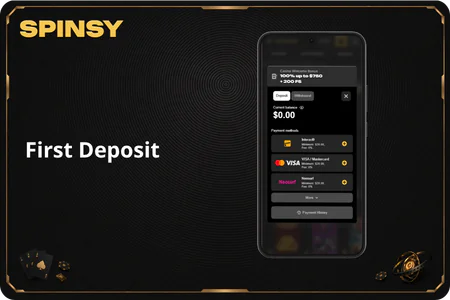
Self-service controls are useful for routine checks, but some requests should go directly to support. These include lost access to your registered email or phone, suspected unauthorised activity, document-upload problems, payment ownership questions and discrepancies in a transaction record. Support is described as available around the clock through live chat and email, with assistance covering account access, bonuses, KYC, deposits, withdrawals, technical issues and account changes.
Support is also the practical route for responsible-gambling requests. Self-exclusion can be requested through support. Public descriptions of additional self-service controls are inconsistent, so do not assume that deposit, loss or session limits are available on every Canadian account. Ask specifically what restrictions can be applied, when they begin, whether they can be changed and what happens to pending promotions or transactions.
Prepare a concise support request. Include your username or another identifying detail only through the approved channel, describe the issue in date order and state the outcome you need. Do not send a full payment card number or unnecessary identity documents in an ordinary message. If a request concerns a withdrawal, mention whether verification has already been completed and ask which exact requirement remains. Clear questions usually produce a more useful record than repeated general enquiries.
How do mobile and rewards settings fit together?
The account is available through a responsive mobile website on Android and iOS. Casino, live casino, sports, cashier, promotions, Challenges, Shop and account controls can be reached in the mobile browser. A Create Shortcut option can place an icon on the home screen: Android uses Add to Home screen, while iOS uses the Share menu. This is a shortcut to the mobile website, not evidence of a separate native application.
Mobile convenience makes account review easier, but small screens can hide important wording. Open the full promotion details before activating an offer, check the transaction record after a payment action and confirm that the displayed balance matches the relevant account area. Avoid using public or shared devices for sensitive account work. Sign out when finished, keep the device updated and do not allow a browser to save credentials on a device other people can access.
Rewards settings require the same attention as bonus settings. The account can show VIP status, Challenges progress, Coins and Shop options, while higher VIP levels may include personalised offers, cashback or additional service. These benefits should be read as programme terms rather than guaranteed returns. Before exchanging Coins or accepting a reward, check its expiry, wagering condition, eligible activity and any withdrawal limitation. A tidy account routine—review, verify, decide, then activate—helps prevent unwanted promotions from becoming confused with ordinary cash balance.
Account settings questions Canadian players often ask
Can I choose no welcome bonus?
The Canadian registration flow is described as offering a choice between the casino package, sports offer, promo-code option or no welcome bonus. Confirm the selection shown before completing registration, because the available choices and terms may change. If the account already exists, ask support whether an offer can be declined before activation.
Can a withdrawal be held while my account is checked?
Yes, a withdrawal can remain pending until requested KYC information is supplied and accepted. Payment ownership may also need confirmation. Review the account message carefully, provide only the requested documents through the approved channel and ask support which requirement remains. Processing times vary by case and document quality.
Where can I request self-exclusion?
Self-exclusion is documented as a support request. Contact support and state clearly that you want self-exclusion, then ask when it takes effect and how pending activity will be handled. Do not assume other limits are available automatically, since public descriptions of deposit, loss and session controls are inconsistent.
